Parts for this item are currently unavailable.
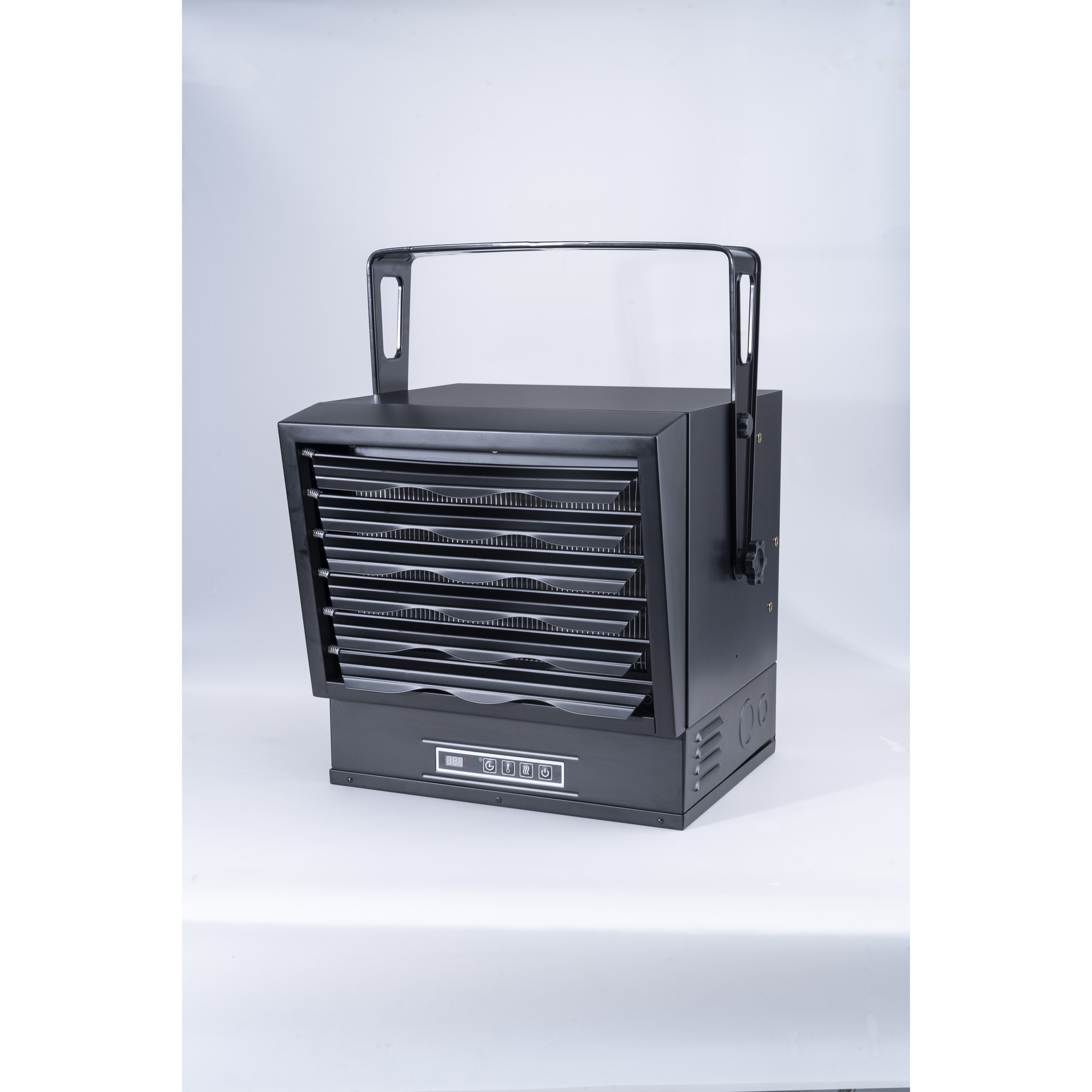
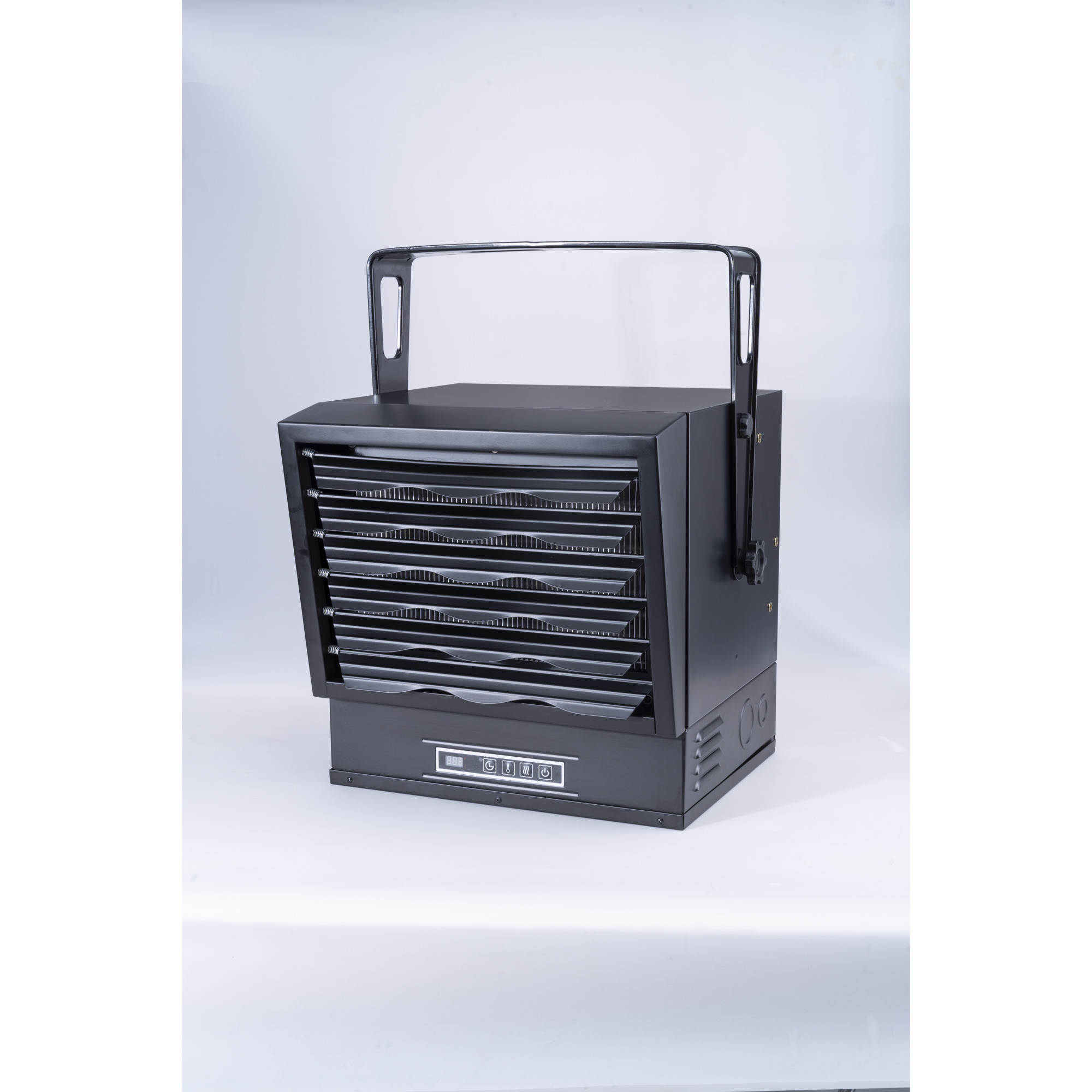
Keebar 10,000W Digital Electric Overhead Garage Heater, 240V, 34,120 BTU, Model# HS12100-08
This is a carousel with one large zoomable image and a track of thumbnails on the left. Select any of the thumbnail buttons to change the zoomable image on the right. If a thumbnail is a video or 360 degree image thumbnail, or the last thumbnail in the list, the button will open the product media modal.

Click or Tap image to Zoom
Shipping:
Store Pickup:
Not Available
- Requires a single-phase hardwire connection (241-Volt AC) for installation
- Designed for wide air distribution across a wide area.Targeted heating with direct airflow in your room
- Crafted from heavy-gauge steel with anti-rusted powder
- Comes complete with an adjustable mounting bracket
- Operated by remote control and displayed on the digital button control panel
Prop 65 Warning: See Details
See full description
Description
Key Specs
Reviews
Q & A
Warranty
Compare
Product Summary
What's Included
- (1) Electric Garage Heater (1) Mounting bracket
Downloads
Features + Benefits
- Requires a single-phase hardwire connection (241-Volt AC) for installation
- Designed for wide air distribution across a wide area.Targeted heating with direct airflow in your room
- Crafted from heavy-gauge steel with anti-rusted powder
- Comes complete with an adjustable mounting bracket
- Operated by remote control and displayed on the digital button control panel
Key Specs
| Attribute | Specification |
|---|---|
item# | 5212125 |
Brand | Keebar |
Manufacturer's Warranty | 1 year limited warranty |
Ship Weight | 57.1 LB |
Heat Output | 34,120 Btu/hour |
Heat Type | Forced Air |
Heating Capability | 1,000 ft² |
Needs Direct Venting | Yes |
Blower Included | Yes |
Blower CFM | 910 cfm |
Amps | 41.7 |
| Attribute | Specification |
|---|---|
Thermostat Included | Yes |
Heat Settings (qty.) | 2 |
Remote Included | Yes |
Phase | Single-phase |
Power Cord Length | 0 ft |
Volts | 240 |
Watts | 10,000 |
Oxygen Depletion Sensor | No |
Hardwired | Yes |
Product Weight | 49.6000 lb |
Dimensions L x W x H (in.) | 17.95 x 18.0 x 18.15 in |
Reviews
Questions & Answers
Questions
-
· 24 days ago
Can I order just a remote? I moved and lost mine
1 answer-
ProductExpert29· 22 days ago
Helpful?
-
-
· 2 years ago
Can you connect this heater with 12AWG wire?
1 answer-
ProductExpert6· 2 years ago
The heater could not be wired with 12 AWG wire. It requires 6/3 AWG copper wire.
Helpful?
-
-
· 2 years ago
What is this cost to run per kilowatt
1 answer-
ProductExpert5· 2 years ago
Cost per hour would be determined by the electricity rate in your area.
Helpful?
-
-
· 2 years ago
should this heater get hot to where you can keep your hand in front of it?
1 answer-
ProductExpert30· 2 years ago
This heater would get hot and would can be felt when standing in front of it.
Helpful?
-
-
· 2 years ago
what about a cord
1 answer-
ProductExpert6· 2 years ago
The heater does not come with a cord. It must be hardwired.
Helpful?
-
-
· 2 years ago
Does this heater require 6/2 or 6/3 wire?
1 answer-
ProductExpert11· 2 years ago
The heater will require a 6/3 AWG copper wire. This will consist of a green, white and black wire.
Helpful?
-
-
· 2 years ago
Does it turn back on after a power outage and remember its settings?
1 answer-
ProductExpert23· 2 years ago
The Keebar 10,000W Electric Garage Heater does not automatically turn back on after a power outage, and it does not have a memory function to remember its previous settings.
Helpful?
-
-
· 2 years ago
How to use a remote control
1 answer-
ProductExpert23· 2 years ago
To use the remote control for the Keebar Garage Heater (Model HS12100-08), follow these steps:
1. Power On/Off: Use the power button to turn the heater on or off.
2. Temperature Settings: Adjust the desired temperature using the temperature up and down buttons.
3. Heat Settings: Select between different heat settings (e.g., low, medium, high) to control the intensity of the heat.
4. Timer Function: Set the timer to automatically turn the heater off after a specified period.
5. Fan Mode: Switch to fan-only mode if you want to circulate air without heating.The digital display on the heater will show the current settings, making it easy to see and adjust as needed.
Helpful?
-
-
· 2 years ago
Can the heater be used constantly without timing itself?Out meeting.I want to keep my shop at a constant temperature
1 answer-
ProductExpert6· 2 years ago
You would need to set the heater up with a thermostat. It would cycle on and off at the temperature you set the thermostat to.
Helpful?
-
-
· 2 years ago
Want to use an external thermostat but I cannot find a 12 volt 10 amp or 20 amp that you say is required. Any suggestions?
1 answer-
ProductExpert6· 2 years ago
Northern Tool does not carry a 12-volt thermostat in 10 or 20 amp.
Helpful?
-
Warranty
Manufacturer's Warranty
1 year limited warranty
Extend Your Warranty Coverage with a Northern Protection Plan (NPP)
Replacement Plan — 1 Year
A Northern Protection Plan is available after adding the product to your shopping cart.
Compare with Most Popular in Electric Garage Heaters
See All Electric Garage Heaters
See All Keebar Electric Garage Heaters
Currently Viewing This Product
Item # 5212125
$334.99Shipping:
Store Pickup:
Not Available
- $799.99
Shipping:
Available nowStore Pickup:
Not Available
- $1853.44
Shipping:
Factory shippedStore Pickup:
Not available - online only
- $349.99
Shipping:
Not availableIn Store Only:
Sold only in stores -
Specifications
34,120 Btu/hour
51,180 Btu/hour
51,195 Btu/hour
34,121 Btu/hour
Forced Air
Forced Air
Forced Air
Forced Air
1,000 ft²
1,500 ft²
2,000 ft²
1,000 ft²
Yes
-
-
No
Yes
Yes
Yes
Yes
910 cfm
1,570 cfm
800 cfm
265 cfm
41.7
62.5
63
42
Yes
Yes
Yes
Yes
2
-
-
-
Yes
Yes
No
Yes
Single-phase
-
-
Single-phase
0 ft
-
-
-
240
240
240
240
10,000
15,000
15000
10,000
No
-
-
No
Yes
-
Yes
Yes
49.6000 lb
49 lb
-
47.4 lb
17.95 x 18.0 x 18.15 in
-
-
-
See All Electric Garage Heaters
See All Keebar Electric Garage Heaters
Recently Viewed Items
This is a carousel with auto-rotating slides. Activate any of the buttons to disable rotation. Use Next and Previous buttons to navigate, or jump to a slide with the slide dots.